Native SwiftUI · macOS 14+ · Notarized
See why your Mac is full. Move only what you approve to Trash.
Scan is free. Cleanup is a $12 founding license — $19 after the first 100. DiskPrune never empties Trash, never deletes APFS snapshots, and never touches Docker.raw.
Founding code FOUNDING is applied automatically. If checkout shows $19, click Add promotion code and type FOUNDING.
Up to 3 Macs · 14-day refund · opens instantly, no security warnings · license key by email.
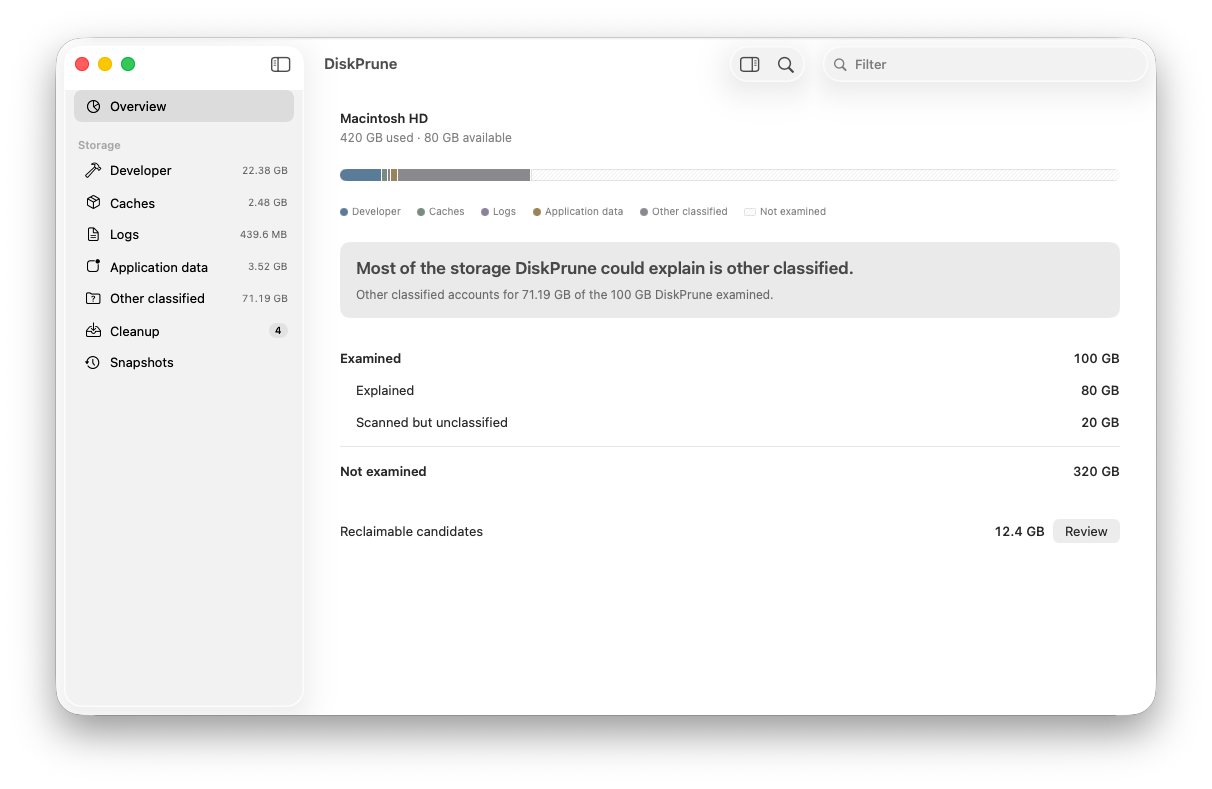
1 · Understand
Storage autopsy
Categories, a capacity bar, and an honest not-examined hatch. The question is “why is it full?”, not “how big is the number?”.
2 · Review
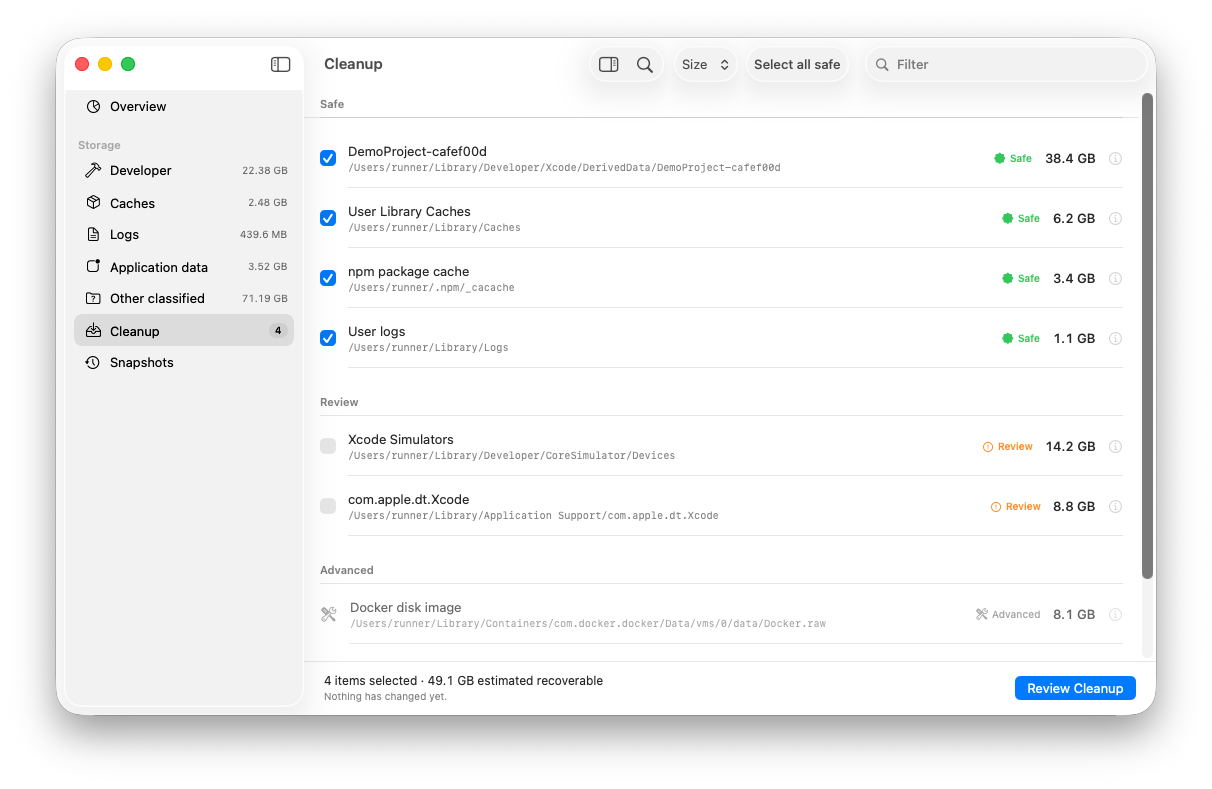
Plan, then dry run
You pick items. DiskPrune builds a plan, rejects ancestor/child overlap, and shows a dry run. Nothing has changed yet.
3 · Trash only
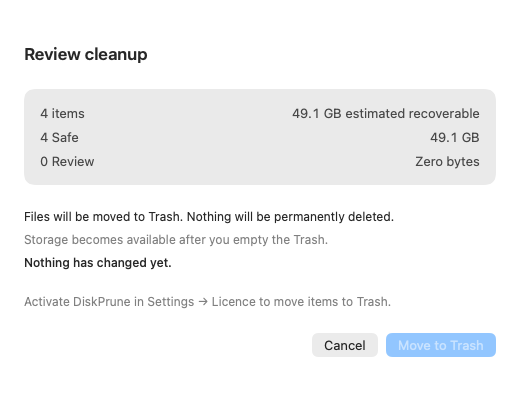
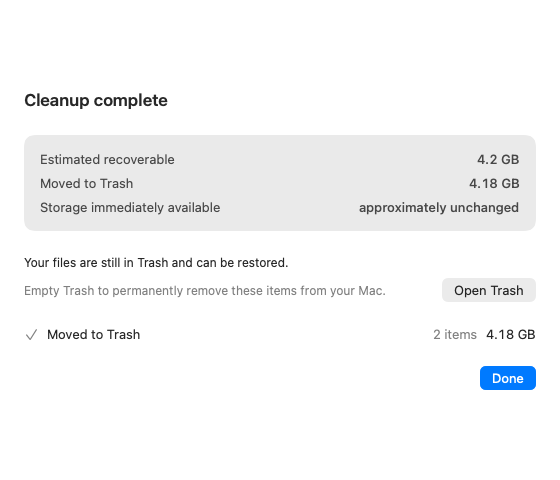
Receipt, not a boast
Estimated recoverable. Moved to Trash. Storage immediately available. Empty Trash yourself, in Finder, when you are ready.
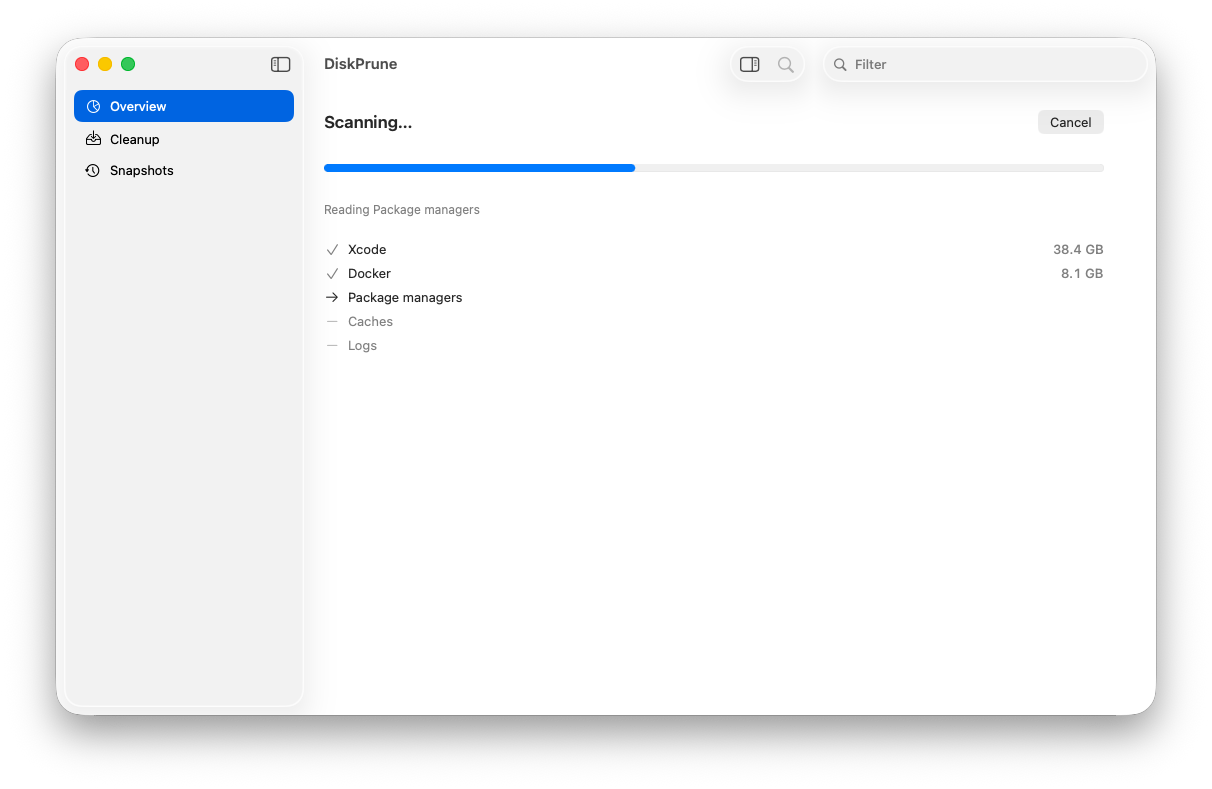
The actual app
Screenshots from the native Visual QA build on main.
This is DiskPrune, not a marketing mock.

Honest comparison
DaisyDisk owns sunburst. DiskBuddy owns eight charts. DissectMac is a free treemap. CleanMyMac is a subscription suite. DiskPrune owns why the bytes exist, and a cleanup path that can only move to Trash.
| Feature | DiskPrune | DaisyDisk | DiskBuddy | DissectMac | CleanMyMac |
|---|---|---|---|---|---|
| Price | $19 lifetime — $12 founding with code FOUNDING | ~$9.99 lifetime, 5 Macs | $9 launch / $49 list, lifetime | Free | Subscription |
| Native Mac app | SwiftUI, macOS 14+ | Yes | Yes | Yes | Yes |
| Notarized | Yes — Developer ID, notarized + stapled | Yes | No (unsigned as of Sep 2026) | Yes | Yes |
| How you see the disk | Storage autopsy + categories | Sunburst (category-defining) | Eight charts | Treemap | Dashboard |
| Explains why bytes exist | Core product | Weak | Weak | Weak | Marketing copy |
| Cleanup | Plan → dry run → TOCTOU → Trash → receipt | Collector | Staged claims | None | Aggressive |
| APFS snapshots | Inspect only | Shows hidden space | Marketing claim | No | Often overclaims |
| Docker.raw | Protected | Not a promise | Not a promise | Not a promise | Risk |
| Permanent delete | Architecturally forbidden | User-driven | Claims staged | n/a | Yes |
| Scan | Free | Paid app | Paid app | Free | Limited without subscription |
If you only want a sunburst, buy DaisyDisk. If you want eight novelty charts, DiskBuddy has them. If you want to understand System Data, DerivedData, and Docker.raw — and move only what you approve to Trash — that is DiskPrune.
What DiskPrune will not do
- Permanently delete files. There is no
removeItemfallback. - Empty Trash. That is your action, in Finder.
- Delete APFS local snapshots. The Snapshots screen is inspect-only.
- Delete
Docker.rawor Docker data directories. - Claim that moving files to Trash has already made that space available.
- Scan your files off the Mac. The disk map stays on the device.
Guides
The three sentences people actually search. Written to match the binary, not to overclaim.
System Data on Mac is huge
What that bucket actually contains — and what DiskPrune will not flush.
Xcode DerivedData
Named, classed, and moved to Trash only. Xcode rebuilds it.
Docker.raw is eating the disk
Protected on purpose. Compact it with Docker, not with a cleaner.
Purgeable space and snapshots
Inspect only. DiskPrune does not run snapshot deletion.
Mac disk space analyzers
DaisyDisk, DiskBuddy, DissectMac, CleanMyMac, and DiskPrune — honest.
DiskPrune vs CleanMyMac
$19 lifetime and Trash-only, versus a subscription suite.
Opens with a double-click
DiskPrune is notarized and Developer ID signed. Drag it to Applications, double-click — macOS opens it without any warning. No right-click, no System Settings detour.
See why your Mac is full. Move only what you approve to Trash.
Scan free. $12 founding lifetime for the first 100. 3 Macs. 14-day refund.
Code FOUNDING · price rises to $19 after the first 100 customers.